PROJECT - 2025
Docusense Dashboard
Docusense dashboard is AI powered document processing system for tech and finance teams.

PROJECT OVERVIEW
Docusense is an AI-powered document processing platform designed to help businesses automate the extraction, classification, and validation of unstructured data from documents like invoices, contracts, and reports.
It bridges the gap between traditional manual data entry and intelligent automation, offering speed, precision, and control in one seamless interface.
The goal: Enable users to process and verify documents 3x faster by reducing manual input, leveraging AI-driven extraction and classification.
ROLE
UX/UI Designer
TIMELINE
2 Days
CONTEXT
I undertook as a solo UX design challenge as part of the learning process
TOOLS
Figma,Gmeet
Invoices
523 docs
Success Rate
98%
Contracts
245 docs
Success Rate
97%
Reports
198 docs
Success Rate
99%
PROBLEM STATEMENT
Manual document processing is slow, error-prone, and not scalable. Businesses often rely on teams to manually extract data from PDFs, contracts, invoices, and reports—leading to:
Increased operational costs
High error rates in data transcription
Slow turnaround time for critical decisions
Stakeholders needed a way to reduce time spent on repetitive tasks, improve data accuracy, and track document statuses at a glance.
The challenge was to design a seamless, minimal interface for uploading documents and quickly reviewing AI-classified results with minimal friction.
Lack of real-time visibility and tracking
Solution
This dashboard is designed for operations managers and document controllers who need quick summaries at a glance. It gives users a quick performance snapshot—document volume, accuracy trends, and classification confidence—all without cognitive overload.

Intelligent Dashboard
Visual metrics: document count, processing time, confidence rate.
Breakdown by document type with success rates.
Track document types and performance trends.
View processing time and user activity.

Clean drag-and-drop zone with smart file classification.
Upload status and document type classification begin in real-time.
Bulk upload support for scalability.
Upload Document File
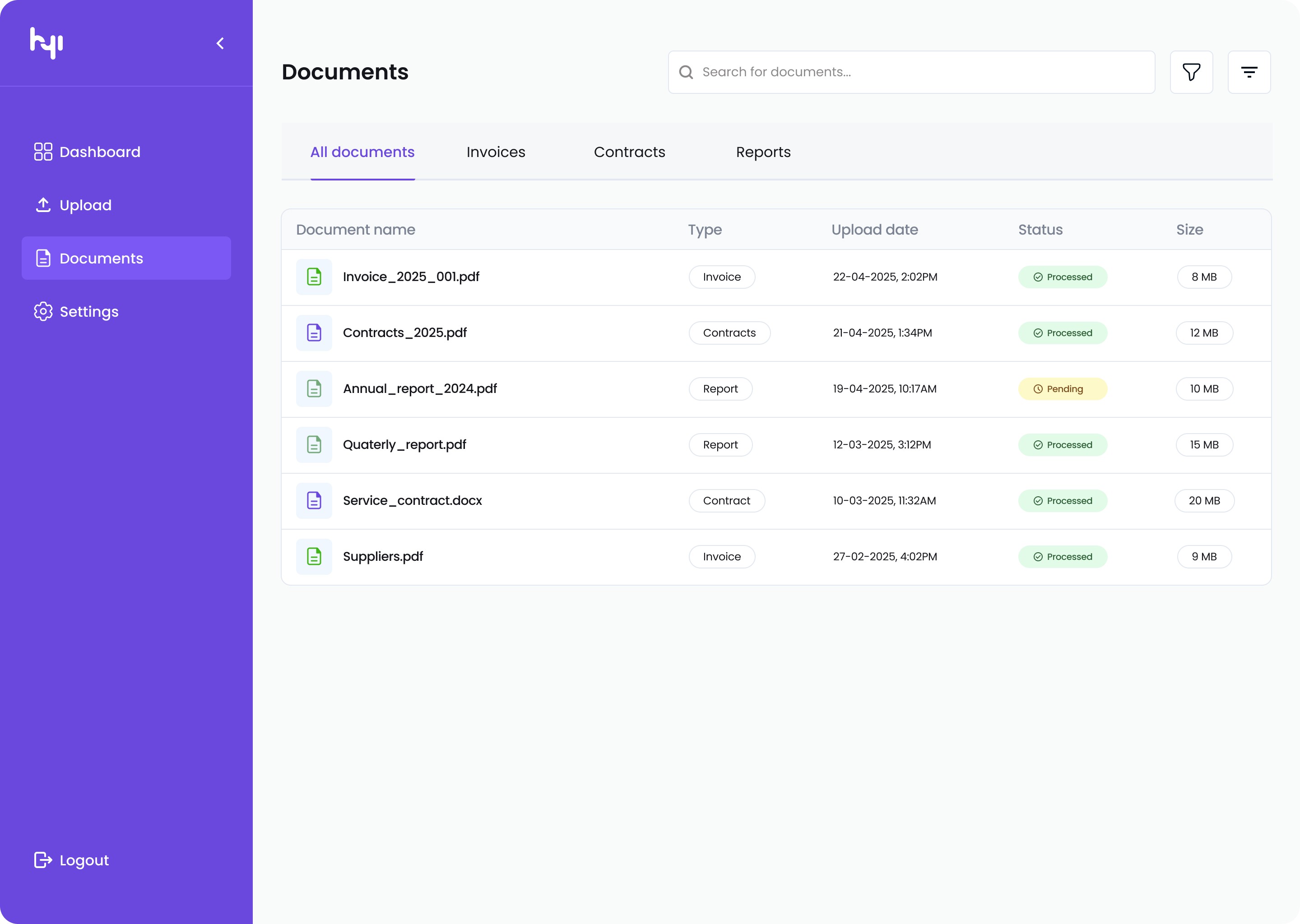
File list with metadata: type, status, size, date.
Status badges for quick triage (Processed, Pending).
Ability to drill down into individual predictions.
Presents AI-classified fields next to the original document preview.
Users can validate or correct predictions before exporting.
AI-Powered Document Viewer
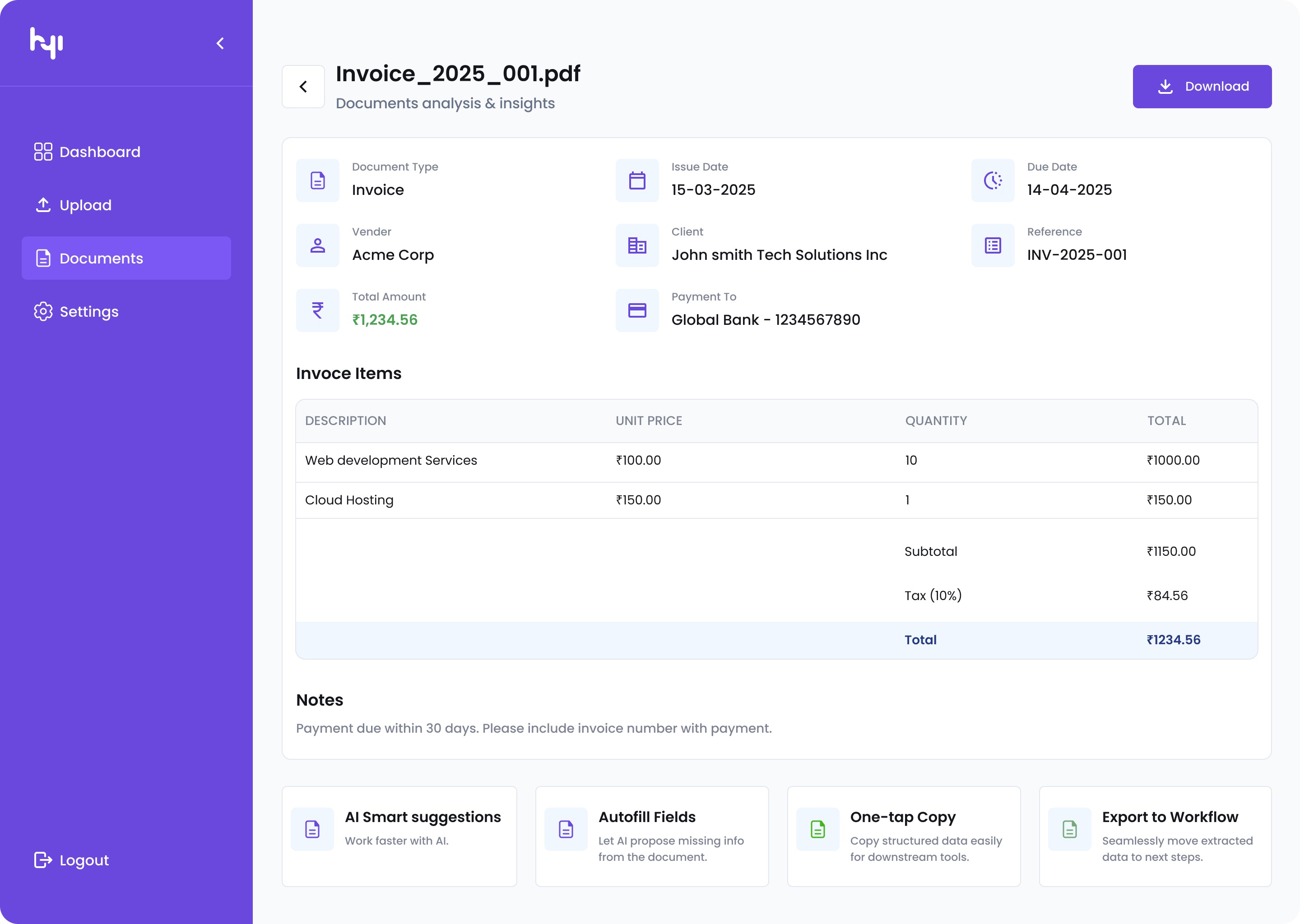
A deeper view of a document’s metadata, AI confidence levels, and revision history.
Encourages data-driven decisions.
Document Details Page
Component Set
I created components and variants to ensure consistency, scalability, and efficiency across the design system. They allowed me to manage multiple UI states seamlessly and speed up the design-to-development handoff. This approach helped maintain a clean, reusable, and scalable interface.


Prototype
I created a functional prototype to demonstrate key interactions and user flows, bringing the design to life beyond static screens. This helps stakeholders understand the experience and usability of the product.
Impact (Hypothetical)
Although built as a design challenge, the solution is grounded in measurable outcomes:
60% Processing time reduced vs. manual workflows.
97% Of AI prediction accuracy after validation.
4.7/5 Of User satisfaction score in feedback tests.
1,200+ documents processed in under a day in scaled testing environments.
Achieved a clean, functional UI that communicates clearly without noise.
Built a modular system that scales across document types.
Delivered core features with minimal distractions
What went well in 2 days:
What I’d improve with more time:
Add real-time collaboration (e.g., comments or review threads).
Build error reconciliation flow for low-confidence predictions.
Explore dark mode and customizable dashboards.
Integrate export options to external systems like Excel, SAP, or Notion
Final Thoughts
Docusense was a deep dive into the world of intelligent document processing system automation.My biggest takeaway? Great UX is not just about simplicity—it’s about guiding users through complex systems without them ever feeling lost.
Thank you for reading — I hope this journey inspired you as much as it challenged me :)
This project sharpened my focus on clarity, usability, and trust in AI-powered tools. I gained valuable experience for solving such a great problem.
Reflection & Learnings

BackSeat Website
A Women centric real-estate property sell platform.
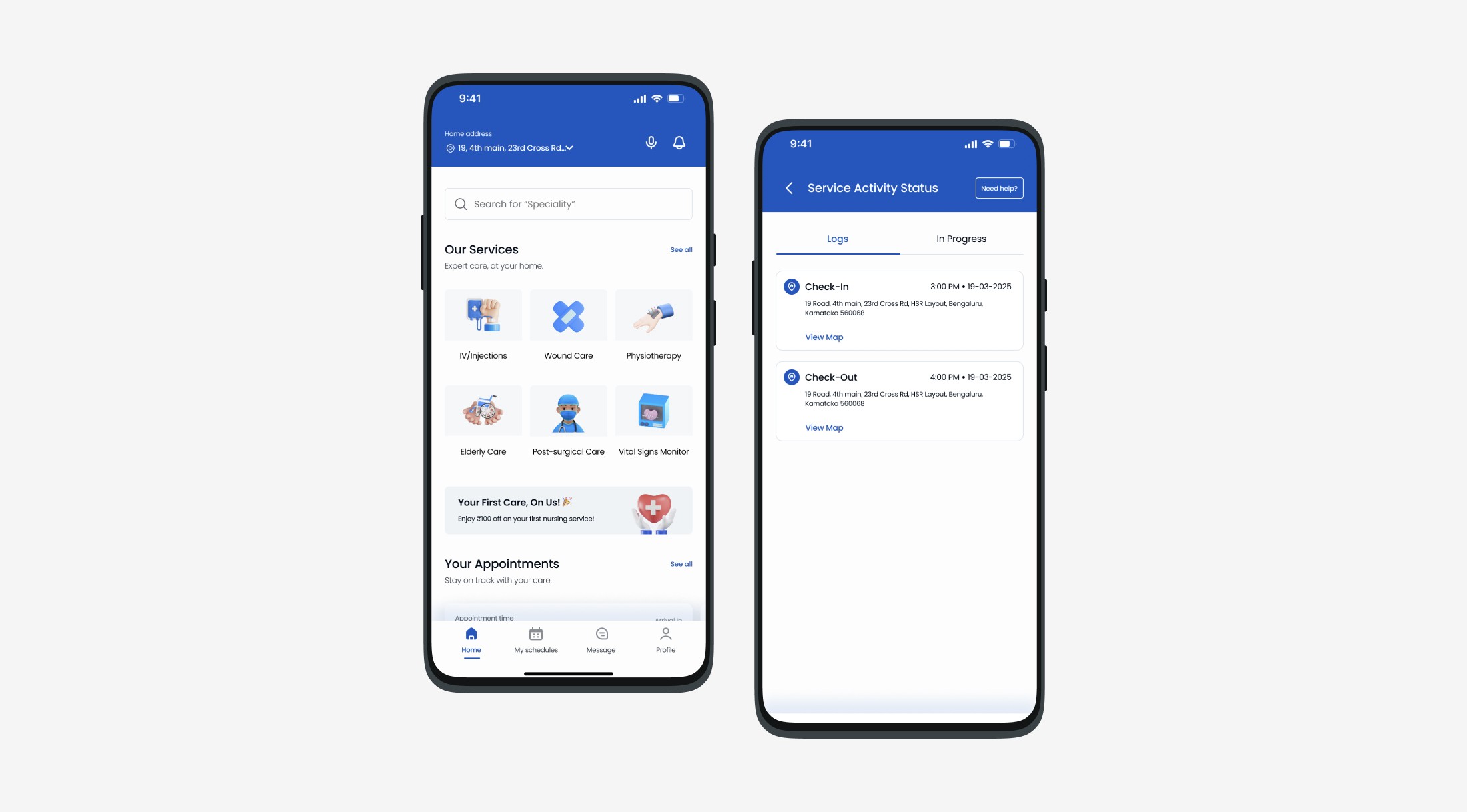
Care Mitra App
The story of how I designed on-demand home nursing services app for the elderly patients.
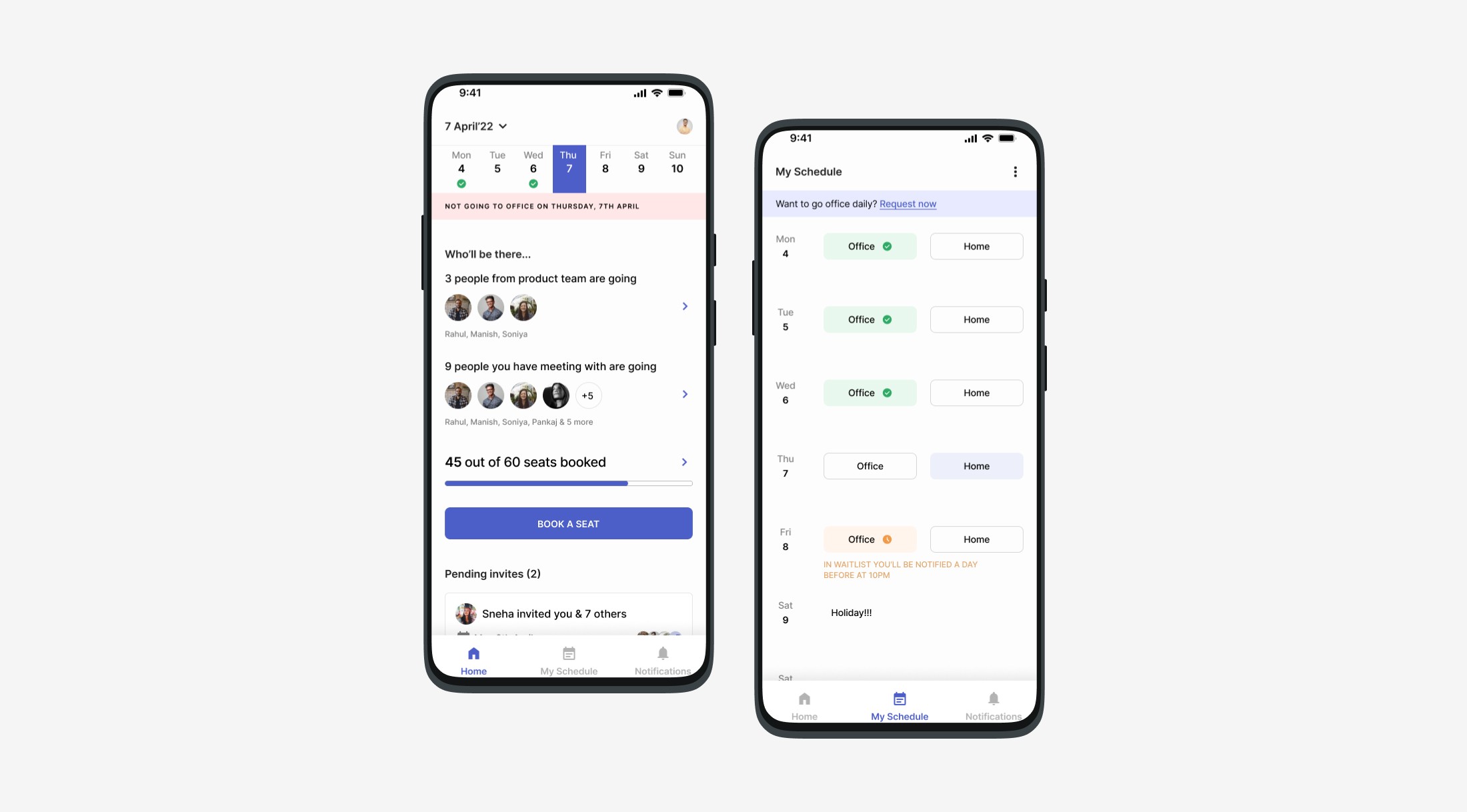
BookMyDays
The story of how I designed an app How to decide which days to work from the office?
Coming soon
Up Next
© 2025 All rights reserved